Equipping remote teams with efficient tools is essential for seamless collaboration and productivity. These tools enable team members to communicate effectively, share files effortlessly, and coordinate tasks efficiently, regardless of geographical distance.
With the right tools in place, remote teams can overcome challenges related to distance and time zones, ensuring smooth workflow and project management. Additionally, efficient tools enhance transparency and accountability, allowing team leaders to monitor progress and track performance effectively.
By investing in tools for remote teams, businesses can optimize efficiency, boost morale, and drive success.
Now, as we understand the importance of having the right tools, let’s dive deep into the main technology used for top-performance remote teams worldwide.
1. Collaboration Tools
Collaboration tools are software applications or platforms designed to facilitate communication, coordination, and teamwork among individuals or groups working remotely or in different locations.
These tools typically offer features such as real-time messaging, file sharing, task assignment, and project management, allowing team members to collaborate effectively on tasks and projects regardless of physical proximity. Now, let’s review some of the best collaboration tools for remote teams:
Asana:
Asana is a project management tool that enables teams to organize tasks, track progress, and collaborate on projects in one centralized platform. It offers features such as task lists, timelines, and Kanban boards to help teams manage workflows efficiently.
Trello:
Trello is a visual collaboration tool that uses boards, lists, and cards to organize tasks and projects. It allows teams to create customizable workflows, assign tasks, and track progress in a visually appealing and intuitive interface.
Google Drive (Docs, Sheets, Slides):
Google Drive is a cloud-based storage and collaboration platform that includes applications such as Google Docs, Sheets, and Slides.
These tools allow teams to create, edit, and share documents, spreadsheets, and presentations in real time, facilitating seamless collaboration and version control.
Infinity:
Infinity is a flexible project management tool that offers customizable workspaces, tables, and views to organize and track tasks, projects, and workflows. It provides features such as custom attributes, filters, and kanban boards to adapt to various project management needs.
Notion:
Notion is an all-in-one workspace that combines note-taking, task management, and collaboration features in one platform. It offers customizable templates, databases, and boards to organize and collaborate on tasks, projects, and information flexibly and intuitively.
2. Communication Tools
Communication tools are software applications or platforms designed to facilitate real-time or asynchronous communication among individuals or groups. These tools allow remote teams to exchange messages, hold meetings, share files, and collaborate effectively, regardless of geographical location.
Communication tools play a crucial role in enabling seamless interaction and collaboration among team members, helping to bridge the gap created by remote work arrangements. They promote transparency, foster teamwork, and enhance productivity by ensuring clear and efficient communication channels within remote teams.
Now, let’s explore some of the most popular communication tools for remote teams:
Slack:
Slack is a popular team communication tool that offers channels for group discussions, direct messaging for one-on-one conversations, and integration with other tools and services. It allows teams to organize discussions by topic, share files, and search through past conversations, making it easy to stay connected and informed.
Teams:
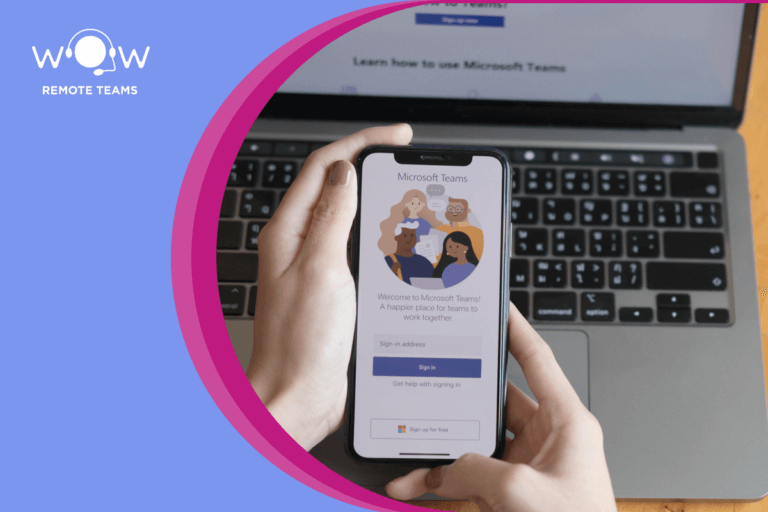
Microsoft Teams is a collaboration platform that combines workplace chat, video meetings, file storage, and application integration. It offers features such as threaded conversations, channel-based communication, and seamless integration with other Microsoft Office tools, providing a comprehensive solution for remote teams to communicate and collaborate.
Zoom:
Zoom is a video conferencing platform that enables remote teams to hold virtual meetings, webinars, and online training sessions. It offers high-quality video and audio, screen sharing, and interactive features such as polling and Q&A, allowing teams to engage and collaborate effectively in real time, regardless of location.
Telegram:
Telegram is a messaging app that offers secure, fast, and encrypted communication for individuals and groups. It provides features such as group chats, channels for broadcasting messages to large audiences, and file-sharing capabilities, making it suitable for remote teams to communicate and collaborate securely and efficiently.
3. Project Management Tools
Project management tools are software applications or platforms designed to help teams plan, organize, track, and execute projects effectively.
These tools provide features such as task management, scheduling, collaboration, and reporting, allowing teams to streamline workflows, allocate resources efficiently, and achieve project goals within specified timelines and budgets.
Project management tools play a vital role in enhancing productivity, transparency, and accountability within remote teams by providing a centralized platform for communication, collaboration, and project oversight.
Now, let’s delve into each of the common project management tools used for global remote teams:
Jira:
Jira is a widely used project management tool developed by Atlassian, primarily focused on software development projects. It offers features such as issue tracking, agile project management, and customizable workflows, allowing teams to plan, track, and release software products efficiently.
Jira’s flexibility and integration capabilities make it suitable for various project management needs, including task management, bug tracking, and project tracking.
Basecamp:
Basecamp is a project management and collaboration tool that offers a centralized platform for teams to communicate, collaborate, and manage projects.
It provides features such as to-do lists, message boards, file sharing, and scheduling, enabling teams to organize tasks, share updates, and track progress in one place. Basecamp’s user-friendly interface and intuitive design make it suitable for teams of all sizes and industries.
ClickUp:
ClickUp is a comprehensive project management platform that offers a wide range of features for task management, collaboration, and productivity. It includes tools such as task lists, calendars, Gantt charts, and time tracking, allowing teams to plan, execute, and monitor projects effectively.
ClickUp’s customizable workflows and integration capabilities make it adaptable to various project management methodologies and team workflows.
Zoho:
Zoho Projects is a project management software that provides tools for planning, tracking, and collaborating on projects. It offers features such as task lists, milestones, timesheets, and document management, allowing teams to streamline project workflows and ensure timely delivery of deliverables.
Zoho Projects’ integration with other Zoho applications and third-party tools enhances its functionality and versatility for remote teams.
4. Virtual Private Networks (VPNs)
Virtual Private Networks (VPNs) are secure, encrypted connections established over a public network, typically the Internet, to provide users with secure access to a private network or the Internet.
VPNs create a private tunnel between a user’s device and a remote server, encrypting data transmitted over the connection to ensure confidentiality and protection from unauthorized access or interception.
By masking the user’s IP address and encrypting data, VPNs enhance privacy and security, especially when accessing sensitive information or working remotely from unsecured or public networks.
For remote teams, VPNs enable remote employees to securely access corporate networks, servers, and resources as if they were physically present in the office, regardless of their physical location or the network they are using.
This secure access ensures that sensitive company data, communications, and intellectual property remain protected from potential threats, such as hackers, malware, or data breaches.
Additionally, VPNs allow team members to communicate securely, share files, and collaborate on projects without compromising data integrity or confidentiality.
5. Cloud Storage
Cloud storage refers to a service that allows users to store and access data, files, and applications over the Internet through remote servers managed by a third-party provider.
Instead of storing data locally on physical devices like hard drives or servers, cloud storage enables users to upload, manage, and retrieve their data from anywhere with an internet connection. This data is securely stored and maintained by the cloud service provider, offering scalability, accessibility, and flexibility to users.
For remote teams, cloud storage tools are indispensable for several reasons. Firstly, they provide centralized and secure storage solutions for team members to store and access files and documents, facilitating collaboration and real-time sharing of information.
Now, let’s briefly explain each of the specified cloud storage tools:
OneDrive:
Developed by Microsoft, OneDrive integrates seamlessly with Windows and Office applications, offering users cloud storage for files and documents. It provides collaboration features and synchronization across devices, making it ideal for teams using Microsoft products.
Dropbox:
Dropbox is a widely used cloud storage service known for its simplicity and user-friendly interface. It allows users to store, share, and collaborate on files, with features like file versioning, selective sync, and integrations with various third-party applications.
Google Drive:
Google Drive is part of Google’s suite of cloud-based productivity tools. It offers robust collaboration capabilities, allowing users to create, store, and share files, including documents, spreadsheets, and presentations. It integrates seamlessly with Google Workspace (formerly G Suite) applications, enhancing productivity for remote teams using Google’s ecosystem.
6. Video Conferencing Tools
Video conferencing tools are software platforms that enable real-time audio and video communication between multiple users from different locations.
These tools facilitate virtual meetings, conferences, and collaborative sessions over the Internet, allowing participants to interact face-to-face despite physical distances. They typically include features like screen sharing, chat, recording, and integration with other collaboration tools, enhancing remote team communication and productivity.
For remote teams, video conferencing tools enable teams to conduct virtual meetings, presentations, training sessions, and client interactions seamlessly, replicating the experience of in-person meetings.
This capability is essential for maintaining team cohesion, sharing information in real-time, and making decisions promptly, which are critical in dynamic work environments.
Let’s review some of the most popular video conferencing tools:
Google Meet:
Google Meet is part of Google Workspace (formerly G Suite) and provides video conferencing capabilities integrated with other Google applications. It supports HD video meetings, screen sharing, and scheduling through Google Calendar, making it suitable for teams already using Google’s productivity tools.
Cisco Webex:
Cisco Webex offers a comprehensive suite of video conferencing tools tailored for businesses. It includes features like HD video and audio, webinar hosting, screen sharing, and virtual whiteboarding. Webex is known for its security features and scalability, making it suitable for large enterprises and organizations requiring robust collaboration solutions.
Zoom:
Zoom gained popularity for its user-friendly interface, reliability, and feature-rich platform. It supports video and audio conferencing, webinar hosting, screen sharing, and virtual backgrounds. Zoom’s scalability and compatibility across devices have made it a preferred choice for businesses of all sizes, particularly during the shift to remote work.
Microsoft Teams:
Microsoft Teams integrates with Microsoft 365 (formerly Office 365) and offers video conferencing, chat, file sharing, and collaboration features. It enables seamless communication within teams and across organizations, with integration capabilities with other Microsoft applications like Outlook and OneDrive.
RingCentral:
RingCentral provides cloud-based communication and collaboration solutions, including video conferencing, voice calls, team messaging, and contact center solutions. It supports HD video meetings, screen sharing, and integration with productivity tools, catering to businesses looking for unified communication solutions.
7. Time Tracking Tools
Time-tracking tools are software applications designed to monitor and record the amount of time spent on tasks, projects, or activities by individuals or teams.
These tools typically offer features such as timers, manual entry of time entries, project categorization, reporting, and integration with other productivity tools. They provide insights into how time is allocated across different tasks and projects, helping teams and businesses analyze productivity, improve time management, and optimize resource allocation.
Time tracking tools enable team members to log their work hours accurately, irrespective of their physical location, and provide managers with visibility into project progress and team performance.
Let’s review some tools that have proven real value for virtual teams:
Toggl:
Toggl is a popular time-tracking tool known for its simplicity and user-friendly interface. It allows users to track time manually, categorize time entries by projects and tasks, and generate detailed reports. Toggl integrates with various project management and productivity tools, making it versatile for remote teams needing straightforward time-tracking and reporting capabilities.
Harvest:
Harvest offers time tracking, expense tracking, and invoicing functionalities. It allows users to track time via timers or manual entry, categorize time by projects and tasks, and generate detailed reports for analysis.
Harvest’s integration with project management tools and its invoicing features make it suitable for freelancers, small businesses, and remote teams managing client projects and billing.
Clockify:
Clockify is a free time tracking tool with options for upgrading to premium features. It offers time tracking through timers or manual entry, project and task categorization, and detailed reporting.
Clockify supports team collaboration, allowing users to track billable hours and manage project budgets effectively. Its simplicity and affordability make it appealing to remote teams looking for basic time-tracking functionality.
8. E-learning Platforms
E-learning platforms are digital environments that facilitate the delivery of educational content and courses online.
These platforms host a variety of learning materials, including video lectures, quizzes, assignments, and interactive exercises. They enable individuals to acquire knowledge, skills, and certifications remotely, often at their own pace and convenience.
For remote teams, e-learning platforms provide access to a wide range of courses and resources that employees can utilize to enhance their knowledge and proficiency in specific areas relevant to their roles.
This accessibility fosters a culture of learning within organizations, empowering employees to stay updated with industry trends, acquire new skills, and adapt to evolving job requirements.
The most popular E-Learning platforms are:
Udemy:
Udemy is a popular e-learning platform known for its vast library of online courses taught by instructors from around the world. It offers courses on diverse topics, ranging from technology and business to personal development and creative skills.
Udemy provides opportunities for upskilling and professional development tailored to individual career aspirations and organizational needs.
Coursera:
Coursera partners with universities and organizations to offer courses, specializations, and degrees across various disciplines.
It features courses taught by professors and experts, focusing on academic rigor and practical application. Coursera’s platform includes interactive learning experiences, peer-reviewed assignments, and discussion forums to enhance engagement and learning outcomes.
Remote teams benefit from Coursera’s comprehensive learning paths, which span from foundational knowledge to advanced skills development, supporting career growth and organizational capacity building.
LinkedIn Learning:
LinkedIn Learning is integrated with LinkedIn’s professional network, offering a wide array of video courses taught by industry experts. It covers topics such as business, technology, creative skills, and leadership.
LinkedIn Learning allows learners to access courses anytime, anywhere and provides personalized recommendations based on career goals and skill gaps. For remote teams, LinkedIn Learning offers continuous learning opportunities aligned with professional aspirations, fostering skill development and career advancement within the context of a global professional network.
E-learning platforms like LinkedIn, Udemy, and Coursera are excellent resources for remote teams looking to upskill or learn new technologies. At Wow Remote Teams, we encourage our team members to take courses that align with their interests and career goals.
By investing in our team members’ education, we ensure that they are equipped with the latest knowledge and skills to provide our clients with exceptional work.
9. Employee Monitoring Tools
Employee monitoring tools are software solutions designed to track and analyze the activities and productivity of employees while they work remotely or in the office.
These tools capture various metrics such as time spent on tasks, websites visited, applications used, keystrokes, and mouse movements. The primary goal is to provide insights into employee performance, productivity trends, and time management, aiding in workforce management and operational efficiency.
For remote teams, employee monitoring tools help managers and team leaders understand how time is utilized, identify inefficiencies or bottlenecks in workflows, and provide data-driven insights for optimizing resource allocation. This transparency fosters trust between managers and employees, ensuring alignment with organizational goals and objectives.
Hubstaff:
Hubstaff is a time-tracking and productivity-monitoring tool that offers features such as time tracking, screenshots, activity monitoring, and GPS tracking for remote teams.
It helps managers track time spent on tasks, monitor productivity levels, and analyze work patterns. Hubstaff provides detailed reports and analytics to help businesses optimize remote team performance and improve project management efficiency.
ActivTrak:
ActivTrak is an employee monitoring and analytics software that tracks and analyzes user activity, application usage, and website visits. It provides insights into employee productivity, identifies top performers, and monitors compliance with company policies.
ActivTrak offers customizable alerts, productivity benchmarks, and real-time monitoring capabilities to help remote teams manage performance effectively and enhance operational transparency.
Time Doctor:
Time Doctor is a time-tracking and productivity management tool that monitors work hours, tracks time spent on tasks and offers optional screenshots and activity monitoring.
It integrates with various project management and collaboration tools, providing detailed reports on employee productivity and task completion rates. Time Doctor helps remote teams improve time management, identify productivity bottlenecks, and optimize workflows to maximize efficiency and achieve business objectives.
10. Password Managers
Password managers are software tools designed to securely store and manage passwords and other sensitive information used for accessing various online accounts and services.
They encrypt and store passwords in a centralized vault, accessible through a master password or authentication method. Password managers also generate strong, unique passwords for each account, eliminating the need for users to remember or reuse passwords across different platforms.
For remote teams, password managers ensure that team members can securely access company systems, applications, and online services without compromising sensitive login credentials.
By storing passwords in an encrypted format, password managers protect against phishing attacks, credential theft, and unauthorized access, thereby enhancing cybersecurity posture for remote work environments.
LastPass:
LastPass is a popular password manager that securely stores passwords and personal information, including payment details and addresses. It offers features like password generation, secure sharing of passwords with team members, and multi-factor authentication for added security.
LastPass integrates with browsers and mobile devices, providing convenient access to passwords across different platforms while maintaining strong encryption standards to safeguard sensitive data.
Dashlane:
Dashlane is a password manager known for its user-friendly interface and robust security features. It stores passwords, payment information, and other sensitive data in a secure vault with AES-256 encryption.
Dashlane includes password generation, automatic form filling, and a digital wallet for secure online transactions. It offers dark web monitoring to alert users of potential data breaches and integrates with popular browsers and mobile platforms for seamless access to stored credentials.
Final Thoughts
Using technology is crucial for remote teams to ensure seamless communication, collaboration, and productivity.
Technology provides the foundation for remote work by enabling real-time interactions through video conferencing, instant messaging, and collaborative platforms. These tools break down geographical barriers, allowing team members to connect from anywhere in the world and collaborate as if they were in the same office.
By leveraging technology, remote teams can maintain regular communication, clarify expectations, and foster a sense of camaraderie among team members, which is essential for morale and team cohesion.
Managing remote teams can be challenging, but with the right technology and tools, it can be done effectively. At Wow Remote Teams, we use a range of technologies and tools to ensure that we deliver exceptional work for our clients.
Our collaboration tools, communication tools, project management tools, VPNs, cloud storage solutions, video conferencing software, time tracking tools, online learning platforms, and automation tools all contribute to our ability to work efficiently and deliver outstanding results. If you’re looking for a reliable and efficient remote team, look no further than Wow Remote Teams. Contact us today, to learn more about our services and how we can help your business thrive with our remote team solutions, backed by the latest technology and tools for efficient remote teams.